

On this page
Shipping a computer is a nerve-wracking experience. Careful! One mishap is all it takes to make your luxury PC beyond economic repair. Therefore, to ensure your system survives the rigors of the journey, you need to know the correct way of packing and shipping pc apart from the ‘Fragile’ sticker and some packing peanuts.
So if you don’t want to deal with a three-month insurance then read this blog and follow the step-by-step checklist to pack, pad, and protect your PC for a 100% survival rate in transit.
Tips and best practices for shipping pc
Before you even reach for the packing box and tape, you need to understand the possible hazards your PC will face and prepare for the “insides” of your machine. During shipping your computers are exposed to impact from drops, constant vibration that can loosen parts, and compression from being stacked. Also there are some invisible variables, too like data loss and electrostatic discharge that often catch builders off guard. Therefore, it is essential to follow these steps before placing the computer in a box.
- Hardware is replaceable, your data isn’t. That’s why back up your essential files to a cloud service or an external SSD.
- Internal vibrations while shipping pc are the leading causes of snapped PCI-E slots. To avoid this unplug the power cables, unscrew the bracket, and remove the card. Pack it separately in an anti-static bag.
- Dust buildup can hold a static charge. So before you pack your PC use a can of compressed air or an electric duster to clear out the vents and fans and take detailed photos of the item’s condition for insurance purposes.
How to ship a PC without damaging components
If you think that a ‘Fragile’ sticker and a bubble wrap is enough to protect your computer, then think again. Shipping electronics requires more than a ‘wrap it and stick it’ approach. It requires a durable packaging material for the box, right box sizing, internal padding, labelling details, and the right shipping carrier. So let’s find out the best way to ship a computer without damaging its components.
Choose the right shipping box size and strength
When selecting a shipping container for a PC, you have to think like a structural engineer. A desktop computer is a “high-density” load. It is heavy, contains delicate glass, and has a shifting center of gravity. A standard moving box from a local hardware store simply won’t cut it. Therefore, pack your PCs in double-wall corrugated boxes. These custom packaging boxes are tear-resistant and can withstand the weight of a 30lb gaming rig.
Next step is the box size. Usually a box with exact dimensions of a product is considered safe for shipping but in the case of PCs this is a biggest mistake. Therefore, choose a box that allows for at least 2 to 3 inches of padding on all six sides of the computer. This creates a buffer zone and if the box is dented or punctured, the impact will be absorbed by padding before reaching your case’s metal or glass. So if the dimensions of your PC case is 20″ x 10″ x 20″. The dimensions of your inner box should be 22″ x 12″ x 22″.
Use proper padding for shipping pc
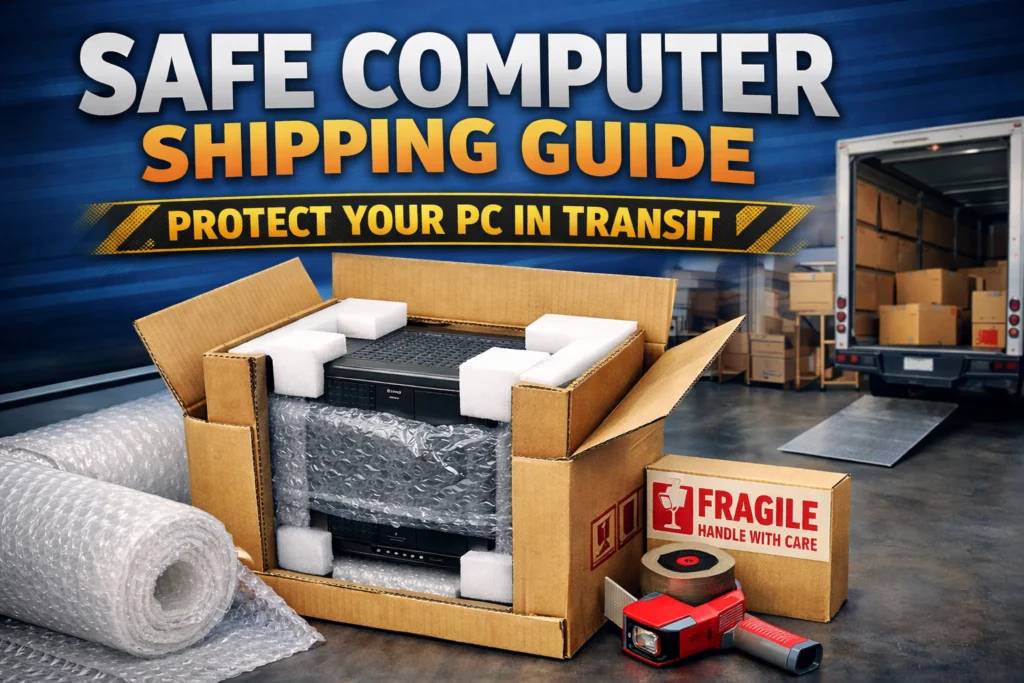
Once you have selected the right heavy-duty box, the internal padding becomes your primary line of defense. So, before wrapping from outside, you must support the inside components of a PC. First you need to wrap the entire PC tower in a large-cell bubble wrap. This prevents fine dust from the packing materials or moisture from humidity from entering the vents. Wrap the PC at least 3 to 4 times until you have roughly 3 inches of padding on every side. Pay special attention to the corners. Use extra layers or foam corner protectors, as corners are the most frequent point of impact.
Then, slide the PC in and fill the gaps between the PC and the box walls with closed-cell foam sheets or more large-cell bubble wrap. Then close the flaps and give your box a firm shake. If you feel the weight of the PC shifting or “thumping” against the sides, you need more padding.
Seal and label for shipping pc
Whether it is a pc box or laptop shipping boxes, you need a proper seal and labelling for the carrier to know how to handle it. Usually a ‘single-strip’ taping method is followed for sealing boxes with clothes, cosmetics, and retail items. But to ship a 30lb computer, professional couriers recommend the H-Tape method to provide structural integrity to the box flaps. Moreover, avoid using a masking, duct, or cellophane tape. Use a 2-inch wide heavy-duty pressure sensitive plastic tape. In the end add “UN Numbers”, “Fragile,”, “Handle with care”, and “This End Up” labels on the box. This reduces the chance of mishandling.
Most people ask for a shipping pc that “is it shipped with the hardware attached or not?” Well, desktop PCs are generally shipped with the internal hardware (motherboard, CPU, RAM, storage) attached. There is no assembling of components, you just have to plug in and start using.
The best budget carriers for safe PC shipping
When it comes to shipping a computer, cost is the biggest hurdle because every carrier has its standards for shipping electronics. Therefore, how much does it cost to ship a pc depends on the weight of your rig. In the USA, there are three reliable shipping carriers you can work with. USPS, UPS, FedEx and the winner for shipping PCs is UPS ground service for packages over 10 lbs. They charge $25 to $30 and are known for reliable service and great tracking, thus making them a go-to for fully assembled systems.
Remember never ship a PC without insurance, it will save you from costly returns.
Conclusion
Ultimately, safe computer shipping comes down to one thing: eliminating movement. By sticking to the discussed safety standards you can deliver your PCs in one piece and save a $2000 product from being damaged. But before you drop your package off at the carrier, do one final ‘shake test’ and ensure your insurance covers the full replacement value.
If you want durable corrugated shipping boxes for your computers, get them from Boxit Packages. We manufacture double and triple-wall boxes that are durable and can protect your $2000 investment.
Need custom printed boxes?
Contact us

.jpg)