Laptop Shipping Mistakes to Avoid for Damage-Free Delivery
Recent Posts
-
 Why Choose Matte or Satin... September 14, 2026
 -
 What Makes Electronics Packaging Effective... September 11, 2026
 -
 What Makes Vape Packaging Boxes... September 7, 2026
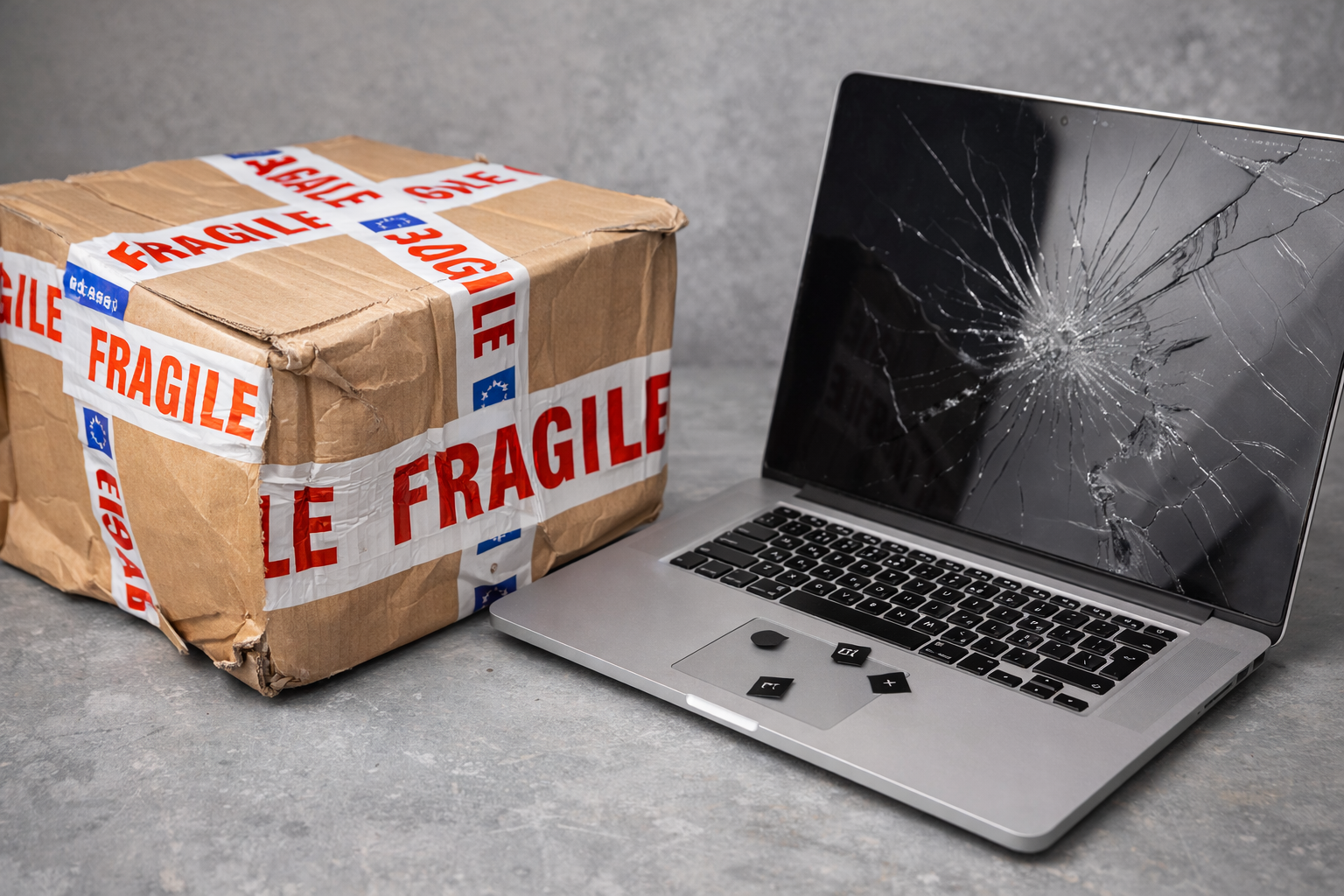
Shipping a laptop isn’t like a pizza delivery or shipping a pair of shoes. It’s a science and an important logistical task. Since laptop is a high-value piece of precision engineering designed with a lithium-ion battery. Therefore, it is fragile and a hazardous piece of material at the same time. Hence, standard shipping regulations do not apply to laptop delivery. Because a single layer of bubble wrap or a recycled cardboard box cannot withstand the turbulent transit routes. So, in this blog we’ll discuss the common laptop shipping mistakes that lead to cracked screens and motherboards. We will also share the right shipping strategy that can help you in reducing damage, control costs, and keep customers satisfied.
The specifics of PC and laptop shipping
A hardware defect can be replaced. But shipping disasters like data corruption, dislodged internal connections, and work stored within the chassis is irreplaceable. These risks make the logistics of shipping laptops and computers problematic. Moreover, these electronic items contain numerous fragile components. Such as screens, hard disk drives, system board, and cooling fans. The rigors during transit or temperature variation can damage these components. Secondly, the most dangerous part of shipping a laptop is their lithium-ion battery. These batteries are considered “Dangerous goods”. They can overheat and if mishandled, then there is a possible chance of thermal runaway and explosion leading to significant legal risks.
Therefore, a pre-shipment checklist is essential. Before you pack a laptop for delivery:
- Back up all data.
- Power down the device completely.
- Disconnect peripherals.
- Take detailed photos of the item’s condition for insurance purposes.
Watch out these common delivery errors
Most shipping mistakes don’t happen on the road. They happen on the packaging table, long before the courier ever arrives. They are divided into two categories. Let’s find out about these categories in detail.
Packaging errors
Using a flimsy or reused boxes
Many companies reuse computer monitor shipping boxes to pack their laptop or PC. This helps them save a production cost needed for new packaging. Also, reusing cardboard boxes make them look like a sustainable brand that aims to reduce waste. However, corrugated cardboard loses its structural integrity with every use. Plus, the box might collapse under the weight of other packages. Thus, leading to irreparable damages during transit.
Incorrect box size
The biggest mistake that companies make while shipping electronics is using the wrong aio computer shipping box dimensions. They either pick an oversized box that allows laptop or computer parts to shift. Or sometimes the box is too small that there is no space left for internal padding.
Skipping the “Double-Boxing” method
Laptops and computer components need bubble wraps or foam inserts to keep every part intact. This is the first layer of defence. Missing this part could be a shipping hazard. Secondly, a single layer of cardboard is rarely enough to absorb the shocks of conveyor belts and delivery trucks. Many companies skip this very important step of double packaging.
Labeling mistakes
Inaccurate documentation on packages can lead to several problems. Like increased transit times, extra fees, or the permanent loss of a delivery. Thus, there is a greater risk for loss of revenue and negative customer reviews.
Improper labeling for lithium batteries
Laptops and computers operate with lithium batteries. If they are not bubble wrapped or the battery is not discharged before shipping. It could lead to hazards. Like fire or chemical explosion. Also, if the laptop shipping box missed the “Lithium Battery Mark” or “UN Numbers”. Then, this is a big shipping blunder.
Missing customs documentation
If you are shipping laptops internationally and your laptop packaging boxes do not contain commercial invoices, product descriptions, or Harmonized System (HS) codes. Then, you are in big trouble. Your shipment can be held.
The right way to pack your laptop for shipping
If you want your laptop to survive the logistical gauntlet. Then, you have to stop packaging like a consumer and start packing like a manufacturer. For this, you have to be careful about packaging material, aio computer shipping box dimensions, internal padding, labelling details, and choosing the right shipping carrier. So, let’s find out how to ship a laptop computer in bulk, how to ship internationally, and which carrier company is the best.
Pick an appropriate shipping box
The most critical decision in the entire shipping process happens before you even reach for the bubble. It’s actually choosing the right laptop packaging boxes that will act as a bodyguard. Therefore, the box has to be robust enough to endure the hazards of the shipping process. You can use shipping boxes instead of mailer boxes. Mailer boxes are perfect for small, lightweight electronics like cables or SSDs. Whereas, shipping boxes are made from corrugated cardboard. These boxes can be designed into double or triple-wall structures. Thus, creating a reinforced container.
Secondly, be accurate about your aio computer shipping box dimensions. Don’t pick an oversized or a small box. Lastly, use the “The box within a box” approach to create an extra buffer zone. Allow for a 2-inch buffer on all sides between the inner and outer boxes. In this way, you can get enough space to add additional cushioning to minimize the impact of shocks.
Protect your portable PC with proper cushioning.
Once you’ve decided your box material, box style, and aio computer shipping box dimensions. The step is safely packaging the laptop inside the box. Since laptops are fragile, a box is not enough for safety as a whole. You need extra padding. For this bubble wrap your laptop, removable battery, cords, and power adapter. Place a thin layer of foam between a keyboard and screen before bubble wrapping. Use anti-static bubble wraps for protection against electrostatic discharge (ESD).
You can also use foam inserts or padded sleeves as an alternative to bubble wrapping. After all the necessary packaging, if there is any empty space in a box. Then fill the gap with the help of foam peanuts, air pillows, or soft foam sheets. Avoid using loose materials like newspapers. As they settle over time, leaving the laptop to rattle and slide.
Seal and label the laptop shipping
The last step is the sealing and labeling of a laptop shipping box. To seal a laptop packaging box use a 2-inch tape and apply it using H-taping technique. Add “Lithium Battery Mark” or “UN Numbers”, “Fragile,”, “Handle with care”, or “This End Up” labels of the box. This reduces the chance of mishandling.
Choosing the right partner for your needs
Selecting the right carrier for your laptop comes down to a delicate balance of three non-negotiables. Insurance depth, Regulatory compliance, and Tracking transparency. Based on these standards there are three reliable shipping carriers you can work with.
USPS
USPS is an ideal option if your laptop is small, lightweight, and weighs up to 70 lbs. They offer affordable rates and make international deliveries, too but with strict limitations for lithium batteries. They even offer insurance to their clients.
UPS
If your laptop or PC weighs between 70 to 150 lbs., then UPS is the best shipping partner. They provide reliable and fast delivery services with options like Air shipping. However, they charge an extra fee for it.
FedEx
FedEx is the best suited option for high-value laptops, PCs, and electronics. They provide insurance, tracking facility, and international shipping. But they do not accept a laptop if it’s not double boxed and does not have proper labeling for lithium-ion batteries.
Wrapping it up!
Proper packaging is the best insurance policy you can buy for your laptop shipping boxes. By sticking to the discussed safety standards you can promise your recipients one thing. That is “excitement” when they open their packaging and not disappoint. So, if you do not want your laptop packaging to collapse. Then get laptop packaging boxes wholesale from Boxit Packages. We use the premium quality material that is sustainable, durable, and can absorb transit shocks. Moreover, our rates are affordable and shipping is free.
.jpg)